Loading…
How to Write an ATS Resume That Actually Gets Read
Beat applicant tracking systems with the right format, fonts, and keywords
10 min read
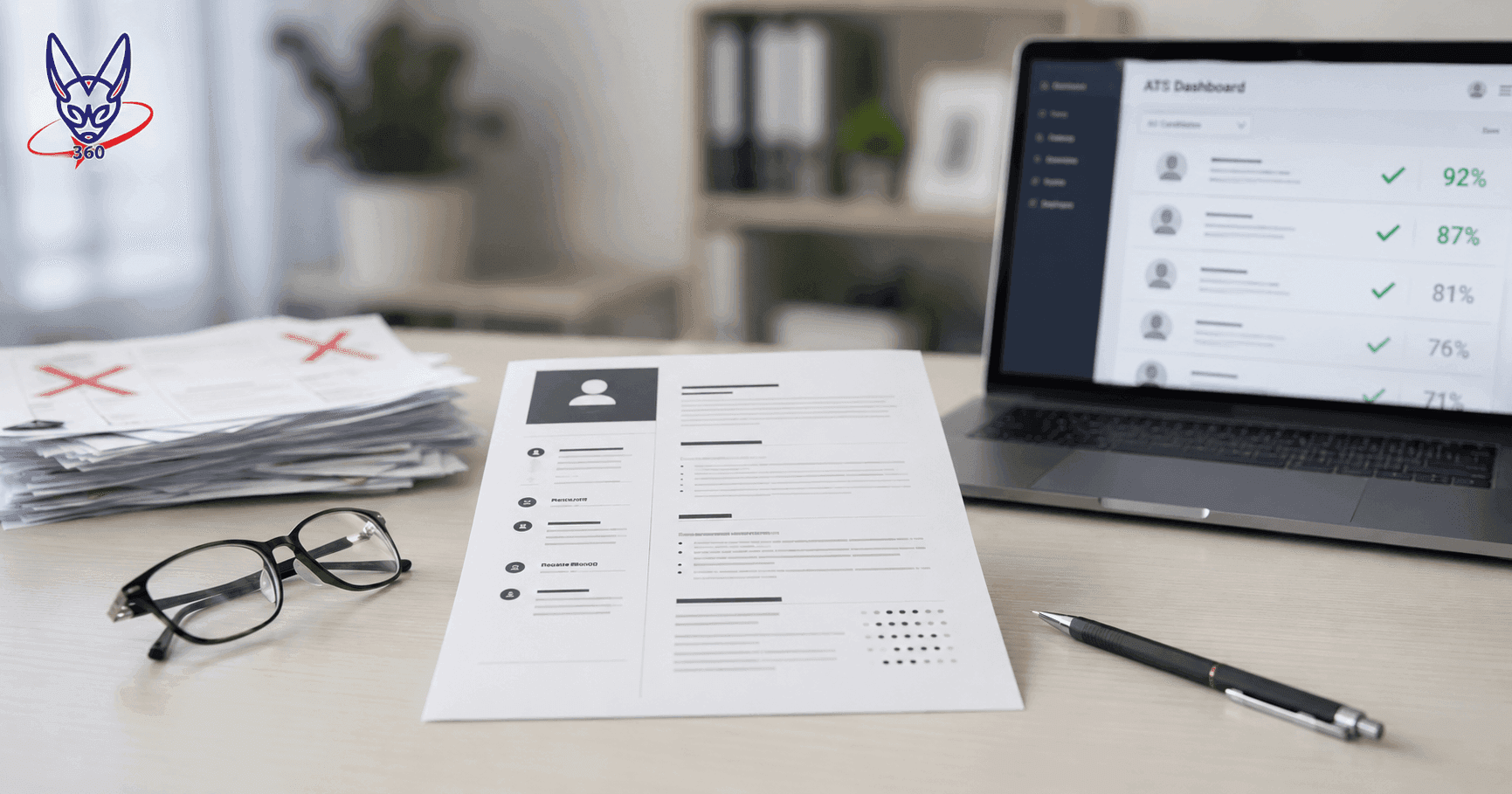
Most resumes are never read by a human. Before your application reaches a hiring manager, it passes through an Applicant Tracking System that parses, indexes, and scores it against the job description. If the software cannot read your resume correctly, you are out - even if you are the most qualified candidate in the pool.
This guide explains exactly how ATS systems work, what they look for, and how to format your resume so it survives the first filter and lands in front of a real person.
What Is an ATS
An Applicant Tracking System is software that employers use to receive, sort, and manage job applications at scale. When you apply through a company's careers page, a job board like LinkedIn or Indeed, or an email submission form, your resume almost always enters an ATS before anyone looks at it.
ATS products include Workday, Greenhouse, Lever, iCIMS and Taleo. Parsing and screening behavior varies by platform and employer configuration; do not assume one universal ranking process.
ATS does three things to your resume. First, it parses the raw text and maps it into fields - name, contact info, job titles, employers, dates, skills. Second, it scores your resume against the job description using keyword matching and weighted criteria set by the recruiter. Third, it filters and ranks the candidate pool so recruiters see the strongest matches first. Resumes that score below a threshold may never be opened.
Not just large companies
Greenhouse and Lever are standard at Series A and later startups. If a company has a dedicated "careers" page with an application form, assume ATS is involved regardless of company size.
How ATS Parses Resumes
Understanding the parsing pipeline tells you exactly where resumes break and why. The process unfolds in four stages.
1. Text extraction. The ATS extracts raw text from your file. For PDFs this means reading the embedded text layer. For Word documents it parses the XML inside the .docx container. Text inside images, text boxes, headers, footers, or drawn shapes is either skipped or extracted unreliably.
2. Field mapping. The parser scans for known patterns - email addresses, phone formats, date ranges, LinkedIn URLs - and maps them to structured fields. Section headings are used to determine which block of text belongs to which category. If your heading reads "Where I've Worked" instead of "Work Experience," the parser may classify that entire block as unstructured text and skip it.
3. Keyword scoring. The ATS compares your extracted text against the job description. Each keyword match earns points. Some systems use exact matching; others use semantic similarity. Hard skills (programming languages, certifications, tools) are weighted more heavily than soft skills in most implementations.
4. Ranking. Candidates are ranked by their composite score and surfaced to recruiters in order. The threshold for human review varies by role volume - a company receiving 500 applications may only review the top 50.
ATS parsers read content left-to-right, top-to-bottom, treating the document as a single linear stream. A two-column layout that looks clean visually will be read as a jumbled sequence by the parser. Your left column and right column content get interleaved, often placing a skill from column 2 in the middle of a job title from column 1. The result is corrupted data that cannot be correctly field-mapped.
PDF vs Word
The PDF vs .docx debate has a clear answer for most situations, but the details matter. Use the table below to decide, then read the verdict.
| Factor | Word (.docx) | |
|---|---|---|
| ATS compatibility (modern systems) | Excellent - all major platforms parse PDF text layers reliably | Excellent - XML structure is well-understood by parsers |
| ATS compatibility (legacy systems) | Variable - older Taleo versions had PDF issues pre-2020 | Better - .docx has always been the safest legacy fallback |
| Formatting preservation | Perfect - renders identically on every device and OS | Variable - fonts, spacing, and layout shift between Word versions and OS |
| Human readability | Consistent, professional appearance guaranteed | Can look different on the recruiter's machine than on yours |
| Editability by recruiter | Not directly editable | Recruiter or staffing agency can modify content (intended or not) |
| When explicitly requested | Submit PDF unless .docx is specifically requested | Use .docx if the job posting or recruiter explicitly asks for Word |
Verdict: Submit a PDF by default. Modern ATS platforms - Workday, Greenhouse, Lever, iCIMS - all handle PDF text layers correctly. PDF guarantees your formatting looks exactly as intended when a human opens it. Switch to .docx only when the job posting explicitly says "Word format required" or a recruiter asks for it directly.
Scanned PDFs break everything
A scanned PDF contains an image of your resume, not selectable text. ATS cannot parse it at all. Always export your resume as a proper PDF with a text layer, never scan a printed copy.
Standard Headings
ATS parsers have a built-in dictionary of section heading variations they recognize. When your heading matches a known pattern, the system correctly classifies everything beneath it. When it does not match, content is often dumped into a catch-all bucket or discarded entirely.
| ATS Field | Recognized headings (use these) | Creative alternatives that fail |
|---|---|---|
| Work Experience | Work Experience, Professional Experience, Employment History, Experience | Where I've Made an Impact, My Story, Career Journey, What I've Done |
| Education | Education, Academic Background, Educational Background, Academic Qualifications | How I Got Here, Learning, Academic Path, Degrees Earned |
| Skills | Skills, Technical Skills, Core Competencies, Key Skills, Areas of Expertise | My Toolkit, What I Know, Superpowers, Strengths |
| Summary | Summary, Professional Summary, Profile, Career Summary, Executive Summary | About Me, Who I Am, My Mission, Introduction |
| Certifications | Certifications, Licenses, Credentials, Professional Certifications | Letters After My Name, Badges, Achievements |
| Projects | Projects, Key Projects, Notable Projects, Selected Projects | Things I Built, Portfolio Highlights, Side Work |
| Publications | Publications, Research, Papers, Academic Publications | Written Work, Articles, Contributions to the Field |
| Languages | Languages, Language Skills, Language Proficiency | I Speak, Communication, Multilingual Skills |
Safe Fonts & Formatting
Font choice and basic formatting rules affect both ATS parsing reliability and the visual impression your resume makes when a human opens it. Stick to standard serif and sans-serif fonts with broad OS support.
| Font | Category | ATS Safe | Notes |
|---|---|---|---|
| Calibri | Sans-serif | Yes | Microsoft default; clean, modern, widely available |
| Arial | Sans-serif | Yes | Universal availability; neutral and professional |
| Helvetica | Sans-serif | Yes | macOS standard; same metrics as Arial on Windows |
| Georgia | Serif | Yes | Designed for screen readability; works well at 11pt |
| Garamond | Serif | Yes | Elegant; use 11–12pt minimum (lighter weight) |
| Cambria | Serif | Yes | Microsoft ClearType family; good print rendering |
| Decorative / script fonts | Any | No | Character mapping breaks; parser reads garbled text |
Core formatting rules for ATS compliance:
- Body text: 10–12pt. Section headings: 12–14pt. Never go below 10pt.
- Use standard bullet points (•, ‣, or simple dash). Avoid custom Unicode bullets that some parsers cannot map correctly.
- Never use text boxes for any content. Text inside a text box is treated as a floating object by most parsers and skipped.
- Never place contact information in the header or footer of a Word document. ATS does not read headers/footers in many parsers - Lever and older iCIMS are known offenders.
- Never use icons or symbols to represent contact details (phone icon, envelope icon). Use plain text labels or just the value directly.
- No tables for layout. Tables for data (skills matrix, language levels) are fine; tables used as column layout break the linear parsing order.
- No horizontal lines as section dividers drawn as shapes. Use text-based dividers or rely on heading styles.
Keyword Strategy
ATS keyword scoring is not guesswork. The job description is the answer sheet. Your goal is to mirror the exact language the employer used, placed in the highest-weight positions on your resume.
| Job posting language | What to write in your resume | Why |
|---|---|---|
| "Python programming" | Python (not "coding in Python" or "scripting") | Exact match outweighs synonyms in most parsers |
| "Project management" | Project management (not "managing projects" or "PM") | Stemming varies by system; exact phrase is safest |
| "Salesforce CRM" | Salesforce CRM (include both the brand name and category) | Some postings score brand + category separately |
| "AWS" or "Amazon Web Services" | Include both abbreviation and full form somewhere on the resume | Different parsers expand abbreviations differently |
| "Bilingual (French/English)" | Bilingual: French and English - in Languages section and summary | Language requirements are often hard-filtered, not just scored |
| Soft skills ("leadership," "communication") | Use in context within bullets, not just listed in a skills section | Soft skills score lower; context adds credibility for human review |
Keyword placement hierarchy (highest to lowest ATS weight):
- Job title field - what you call your current/most recent role
- Professional summary - first paragraph scanned for relevance signal
- Experience bullets - keywords in context, weighted by recency
- Skills section - keyword-dense but lower weight than experience context
Use relevant keywords where they accurately describe your work. Avoid repeating terms merely to raise a score. There is no verified keyword-frequency target or automatic manipulation threshold established for this guide.
Customize per application
Tailor your summary and experience to each vacancy using the posting’s terminology where it matches your actual skills. This is writing advice, not a promise of a particular ATS score or ranking improvement.
Common Mistakes
These are the formatting choices that reliably break ATS parsing. Each one is specific enough to fix today.
- Using a text box for your name and contact information. Some designers put the resume header inside a styled text box for visual control. Most ATS treat text boxes as floating objects and skip them entirely. Your name and email never get parsed, and your application is filed without an identity.
- Two-column layout. What visually appears as a clean left/right split is read by ATS as one continuous left-to-right stream per row. A skill from column 2 ends up mid-sentence in a job title from column 1. The corrupted output fails field mapping.
- Contact details in Word's header section. Many resume templates place the name, phone, and email in the document header for a polished look. Lever and older iCIMS versions do not extract Word header content. The recruiter sees your experience but has no way to contact you.
- Tables used as layout columns. Tables used to display a two- or three- column skills list get read as a single row of concatenated text. "JavaScript Python SQL React Node.js" becomes one unparseable string rather than five discrete skills.
- Non-standard date formats. ATS date parsers expect formats like "Jan 2022–Mar 2024" or "01/2022–03/2024." Creative formats like "2022 to '24" or "Q1 2022" confuse duration calculation and produce incorrect tenure data in the recruiter's view.
- Images for contact information icons. Phone and email icons are decorative and harmless if they are image files. But some applicants embed their phone number or email inside an image (e.g., a contact card graphic). That information is invisible to ATS.
- Embedded hyperlinks as the only source of a URL. If your LinkedIn URL is hyperlinked text that says "Click here" or "LinkedIn Profile," the actual URL may not be extracted. Write the full URL as plain text: linkedin.com/in/yourname.
- Creative section headings. As detailed in the headings section, any heading outside the ATS dictionary causes the entire section below it to be misclassified or ignored. Your decade of experience filed under "Career Journey" will not appear in the Work Experience field the recruiter searches against.
Testing Your Resume
The fastest ATS compatibility test costs nothing and takes three minutes. Open your resume file, select all text (Ctrl+A / Cmd+A), copy it, and paste it into a plain text editor (Notepad on Windows, TextEdit in plain text mode on Mac, or any code editor).
Read through the plain text output and check for the following:
- Your name appears on the first line, not buried mid-page or missing entirely.
- Your email and phone number are present and correctly formatted.
- Job titles and employer names are intact, not merged with dates or adjacent text.
- Section headings are clearly visible and match the standard headings listed in this guide.
- Bullet points appear as recognizable characters, not garbled Unicode.
- No columns of text are interleaved with each other.
- Skills appear as discrete words or phrases, not concatenated into one long string.
If the plain text output is clean and readable, your resume will parse correctly in virtually any ATS. If you see jumbled content, interleaved columns, or missing sections, the formatting structure needs to be fixed before you apply.
For a deeper check, use a dedicated ATS simulation tool. Jobscan lets you upload your resume and a job description and shows you exact keyword match rates and parsing results. The free tier covers the essentials.
Our CV builder generates output that passes the plain text test by default. Single-column layout, standard section headings, no text boxes, no headers/footers for contact info - all enforced at the template level. Every PDF exported from this tool has a clean text layer that ATS can read without issues.
Myths Debunked
Several persistent myths about ATS lead candidates to make changes that either do nothing or actively hurt their applications. Here are the five most common ones.
Myth 1: "ATS can't read PDFs." False. This was partially true in the mid-2010s when some Taleo versions had poor PDF parsing. Every major platform in use today - Workday, Greenhouse, Lever, iCIMS, modern Taleo - reads PDF text layers correctly. The myth persists because some recruiters still repeat advice from a decade ago.
Do not hide keywords in white text. Keep the information you submit visible and truthful, and use relevant terms naturally in your experience. No primary evidence was established for the claimed automatic fraud detection, rejection or score reduction by Greenhouse or iCIMS.
Myth 3: "You need to hit an exact keyword percentage to pass."False. There is no universal threshold. ATS ranking is relative to other candidates in the pool, not an absolute score. A resume with 60% keyword match will beat one with 40% match, but both might advance if the pool is thin. Focus on genuinely mirroring the job description language, not hitting a magic number.
Myth 4: "Graphic resumes get rejected by ATS but impress human reviewers."Partly true but strategically flawed. A heavily designed resume with graphics, icons, and custom layouts will likely be mangled by ATS parsing. If you apply through an ATS portal, your parsed profile is what the recruiter first sees - and a broken profile creates a terrible first impression before the PDF is ever opened. Use an ATS-safe format for applications, and save designed portfolios for direct email submissions or portfolio links.
Myth 5: "ATS rejects resumes automatically - humans never see them."Overstated. ATS filters and ranks, but most recruiters still scroll through lower-ranked candidates when volume is manageable. A well-written resume that parses cleanly and has genuine qualifications will get reviewed even if it does not rank first. The goal of ATS optimization is to not be filtered out unfairly, not to game a fully automated system.
The letter matters too: an ATS-friendly CV with a generic letter still loses. The cover letter builder writes one matched to your CV and the posting.
Questions about building your CV
Can ATS software read PDFs?
Yes. This is a persistent myth left over from older Taleo versions with poor PDF parsing in the mid-2010s. Every major platform in use today, including Workday, Greenhouse, Lever, iCIMS and modern Taleo, reads PDF text layers correctly. Submit a PDF by default, since it also guarantees your formatting looks the same on every device, and switch to Word only if a posting specifically asks for it.
Does hiding keywords in white text help pass an ATS?
Do not hide keywords in white text. Keep the information you submit visible and truthful, and use relevant terms naturally in your experience. No primary evidence was established for the claimed automatic fraud detection, rejection or score reduction by Greenhouse or iCIMS.
Why do two-column resume layouts fail ATS parsing?
ATS parsers read a document left to right, top to bottom, as one continuous stream. A two-column layout that looks clean visually gets read as a single row of interleaved text, so a skill from the right column can end up in the middle of a job title from the left one. The corrupted result cannot be correctly mapped into fields like employer, title or dates.
How can I check if my resume will parse correctly before applying?
Copy all the text from your resume file and paste it into a plain text editor. Check that your name appears on the first line, your email and phone are intact, job titles aren't merged with dates, section headings match standard ones like Work Experience, and no columns are interleaved. If that plain text output reads cleanly, virtually any ATS will parse the file correctly.
Ready to build yours?
Our builder handles the formatting so you can focus on what matters.
Build your ATS-friendly resume nowApplying somewhere that asks for a cover letter? Write one that matches this CV
Related guides
A Free Zety Alternative With No Download Paywall
No download paywall, plus formats built for Canada, Europe, the Gulf, and academia
Read guideCanadian Resume Format vs American: Key Differences
Format, length, photo rules, and employer expectations
Read guideEuropass CV Guide: Format, CEFR, and ISCED Explained
Prepare a Europass-style CV for EU and EEA applications
Read guide